How to Disable IPv6 on Synology NAS for Proxmox VE

While I was migrating my VM to Proxmox VE, I noticed that my VM was excessively trying to make IPv6 connections to my Synology NAS iSCSI LUN even though I’m not using the protocol. I saw the Proxmox VE System Log flooded with the following messages, until I truly disabled IPv6 on the Synology NAS:

Jul 03 11:27:49 proxmox01 iscsid[1622]: connection-1:0 cannot make a connection to fe80::211:32ff:fee8:74c5:3260 (-1,22)

Continue reading

Migrate vSphere VM to Proxmox VE: Configuring and Connecting Synology NAS over iSCSI

This is a multi-part blog that details the steps that I took to migrate a vSphere VM that runs via iSCSI from a Synology NAS to Proxmox VE via iSCSI as well. As an avid homelabber and home automation enthusiast, I read many recommendations for this FLOSS hypervisor and was eager to see how I could augment my HomeAssistant installation with hypervisor management.

But there was quite a learning curve I wasn’t expecting: VMware vSphere has been all I’ve known about virtualization for the last 20 years, and while migrating to Proxmox VE, I quickly saw why vSphere’s simplicity and power has been underappreciated and undervalued by many for years.

Continue reading

Synology DiskStation DS1621+ and VMware vSphere: The Perfect Combination for Your Home Lab

You’ve likely heard of Synology if you’re a vSphere admin or tech enthusiast. If you’ve done any research into setting up a home lab for testing and learning, you’ve come across the Synology DiskStation DS1621+. Coupled with VMware vSphere, you can create a powerful and versatile virtualization environment to help you learn and implement enterprise virtualization, networking, and storage to keep your skills sharp. This blog series will dive into the DS1621+’s capabilities and how I use it with vSphere.

Continue reading

CKA Exam Tips for Kubernetes 1.19

I previously wrote about my first CKA exam attempt, I wanted to share things I’ve reflected on and plan to change for my second attempt. I hope these tips will be helpful for others to learn ahead of time to successfully pass their exam on the first attempt.

Continue reading

CKA Exam Results | How I Plan to Pass 2nd CKA Attempt

The time finally came for me to take the CKA exam on October 29, 2020. I felt about 90% confident that I would pass but came up short and scored 51% (66% needed to pass). I feel that this represented 1-3 questions that I got wrong so I feel confident in my abilities and what I learned, I just need to tighten up a few areas.

My CKA Exam Prep

If you’ve seen Mumshad Mannambeth’s Certified Kubernetes Administrator (CKA) with Practice Tests course on Udemy advertised on social media by those that passed the CKA exam, I completely agree that this course will prepare you for the exam. This course will undoubtedly provide you with the material needed to pass the exam. While there is an incredible amount of practice tests and a mock exam, more practice is needed with these tasks. I briefly tried Game of Pods for additional exercises but I found that some tasks far exceeded the scope of CKA and thus felt like a waste of time. However, I think this resource is a great next step to help those with the CKA certification reach the next level and learn more.

Continue reading

Free Kubernetes Resources from VMware in 2021

If you’re looking to get started with Kubernetes this year, there’s a lot of great free resources available for you and I’m going to focus on three excellent ones from VMware. The first is KubeAcademy.

KubeAcademy

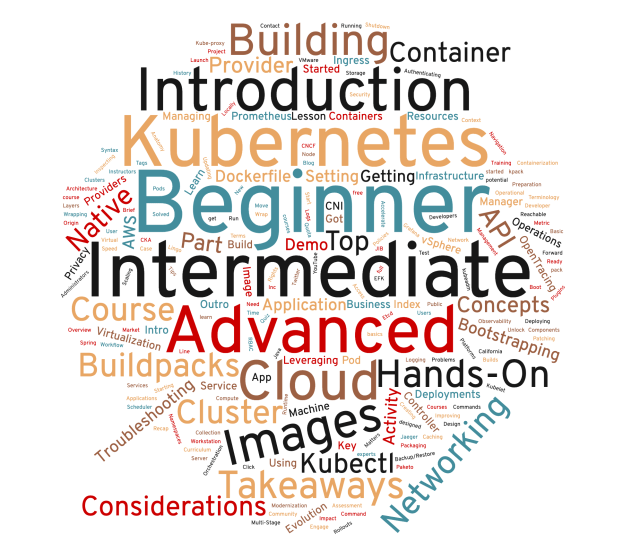
KubeAcademy is a free, product-agnostic Kubernetes and cloud native technology education program built by experts at VMware. The courses are predominately for beginners but also include intermediate and advanced topics in Kubernetes such as building apps and images, networking, and observability:

Continue reading

vSphere Cloned VMs have Same IP Address

I recently ran into a problem where new vSphere-hosted virtual machines that are cloned from existing VMs have the same IP address. I assumed the clone process took care of these issues but apparently not. To fix this, I found the following solution:

  • Remove machine-id with sudo rm -rf /etc/machine-id
  • Run dbus-uuidgen --ensure=/etc/machine-id

After a reboot, the cloned VM has a new IP address!


Permanently Disable Swap for Kubernetes Cluster

I set up a few Kubernetes clusters preparing for the CKA exam and discovered that upon reboot, my control plane node didn’t work. Running any kubectl command I get:

The connection to the server 192.168.1.57:6443 was refused - did you specify the right host or port?

This is a common error message that can result from numerous issues but I started troubleshooting by seeing if the kubelet process was running with ps aux | grep kube. Nothing…no kubelet service running. Then I looked at /var/log/syslog and I found the problem — swap was back on!

Continue reading

Use kubeadm to Install a Basic Cluster in Kubernetes v1.19 for CKA Exam, Part 2: Adding a Node to An Existing Kubernetes Cluster

In Part 1, we created the Kubernetes cluster by running kubeadm init on the control plane node. In part 2 we’ll add a node to an existing cluster that will be capable of running pods which is apparently a possible CKA exam scenario (see cluster ik8s):

This image has an empty alt attribute; its file name is cka-exam-environment.png
Continue reading

Use kubeadm to Install a Basic Cluster in Kubernetes v1.19 for CKA Exam, Part 1: Control Plane Node

The new CKA 2020 for Kubernetes v1.19 blueprint has an objective to, “Use Kubeadm to install a basic cluster.” While I haven’t taken the CKA v1.19 exam yet, based on the exam environment from Linux Foundation (image below), it doesn’t appear that creating a brand new cluster will be necessary in the exam. Instead, cluster ik8s is missing a node and I assume the task will involve gathering the information to add the node to the cluster.

CKA Exam Environment from Linux Foundation’s Important Instructions: CKA and CKAD
Continue reading